Samuel OkaFrontend developer
Case File #05
Web Application

INVOICE APP

Invoice Management Dashboard

CASE FILE

#05

ROLE

Frontend Developer

TYPE

Web Application

Invoice App - hero
01 - Overview

THE MISSION

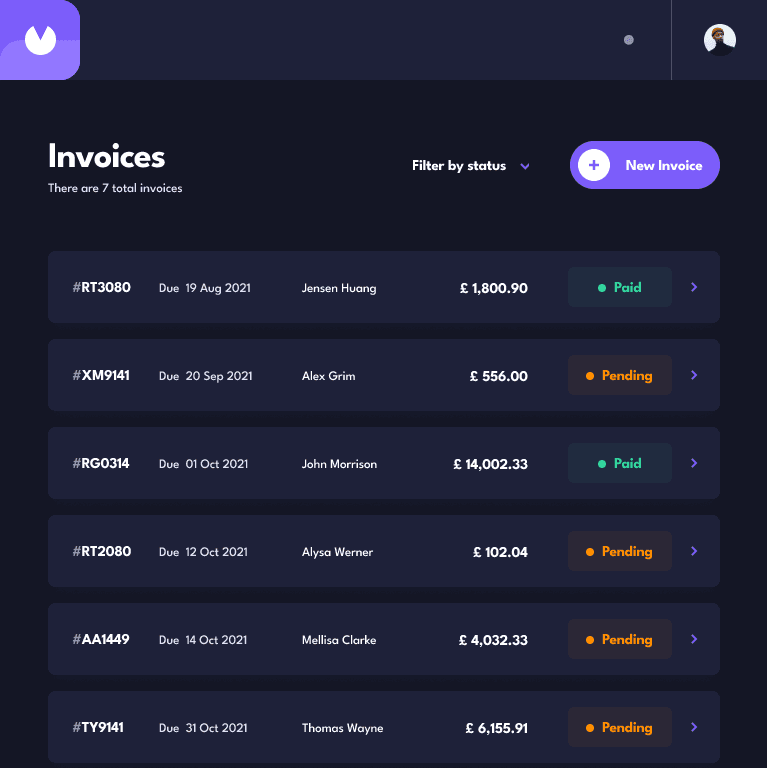
A full-featured invoice management dashboard that allows freelancers and small businesses to create, edit, delete, and track invoices — with real-time status updates, dark mode, and data persistence across sessions.

02 - Problem

THE PROBLEM

Freelancers and small businesses often rely on spreadsheets or manual processes to manage invoices, leading to lost records, missed payments, and no clear view of outstanding balances.

Before the solution
Spreadsheet chaos — 47 open tabs
Lost invoices — no audit trail
Missed payments — zero visibility
Frustrated freelancer — every time
03 - The solution

THE SOLUTION

I built a clean, responsive invoice dashboard using React and localStorage that gives users a full invoice lifecycle — from draft creation to marking as paid — without needing a backend.

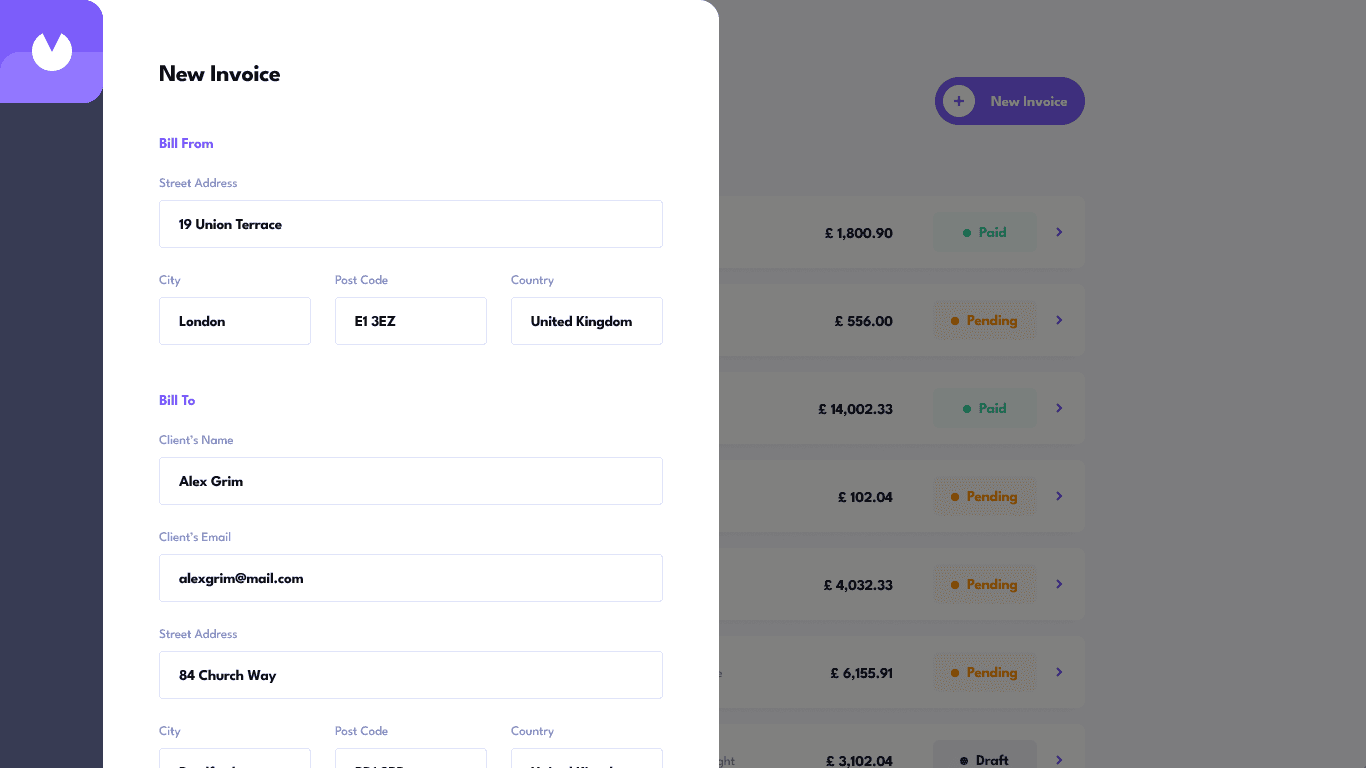
  • Create and edit invoices with full validation
  • Filter invoices by status (Paid, Pending, Draft)
  • Mark invoices as paid — irreversible to protect data integrity
  • Delete invoices with a confirmation modal
  • Dark / light mode toggle persisted across sessions
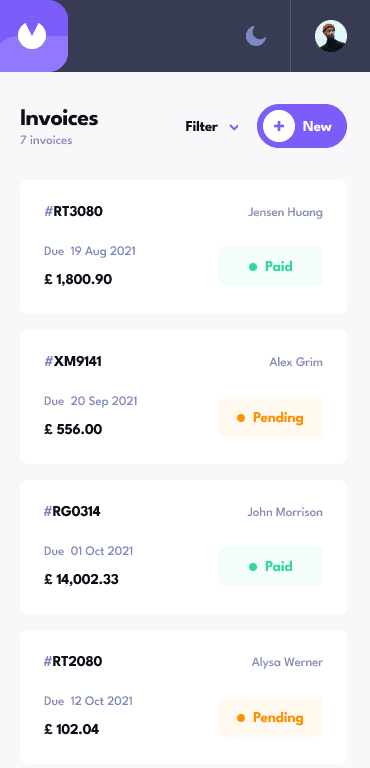
  • Fully responsive — mobile, tablet, and desktop layouts
04 - How i built it

HOW I BUILT IT

Step 01

Studied the Figma design and broke it into reusable components

Step 02

Set up React Router for list and detail views

Step 03

Built InvoiceContext with localStorage persistence

Step 04

Implemented create, edit, delete, and status update flows

Step 05

Added form validation with deferred error display

Step 06

Matched responsive layouts for mobile, tablet, and desktop

Step 07

Wired dark mode toggle with localStorage preference saving

Step 08

Fixed cross-platform build issues for Vercel deployment

05 - Boss Battles

BOSS BATTLES

Battle #01

STALE CLOSURE BUG ON STATUS TOGGLE

Bug Detected

Toggling an invoice from Paid back to Pending would silently revert because the context function closed over a stale copy of the invoices array.

Fixed

I switched all state mutations to the functional updater pattern — setInvoices(prev => ...) — so React always passes the latest state into every mutation, eliminating the stale closure entirely.
Battle #02

DEFERRED FORM VALIDATION

Bug Detected

Showing validation errors immediately on render created a jarring experience where empty fields lit up red before the user had typed anything.

Fixed

I introduced a submitted flag that defaults to false. Errors only compute and display after the first save attempt, keeping the form clean on open while still blocking invalid submissions.

Battle #03

RESPONSIVE DRAWER VS FULL-SCREEN FORMS

Bug Detected

The create and edit forms needed to behave as slide-in drawers on tablet and desktop but as full-screen pages on mobile — two fundamentally different layouts in the same component.

Fixed

I used Tailwind's md: breakpoint to render both layouts in the same JSX tree — md:hidden for the full-screen mobile version and hidden md:block for the drawer — with no JS media query hooks or layout shift on mount.

Battle #04

CASE-SENSITIVE IMPORT ERRORS ON VERCEL

Bug Detected

The app built and ran fine locally on macOS but failed on Vercel's Linux build server due to filename casing mismatches between imports and actual filenames on disk.

Fixed

I standardised all component filenames to PascalCase and used git mv to force Git to track the renames — since macOS's case-insensitive filesystem silently ignores casing differences that Linux treats as separate files.

Battle #05

FORMBODY PROPS ISOLATION

Bug Detected

FormBody was a shared component inside both NewInvoiceDrawer and EditInvoiceDrawer but referenced variables like hasErrors, fieldErrors, and getErrors from the outer function's closure — causing undefined errors at runtime.

Fixed

I passed all derived validation values as explicit props to FormBody and bundled them into a formBodyProps object spread onto both the mobile and tablet instances, keeping the component self-contained and reusable.

06 - Mission Complete

MISSION COMPLETE

Full invoice lifecycle — create, edit, delete, mark as paid

Data persists across page refreshes via localStorage

Pixel-matched to Figma across mobile, tablet, and desktop

Dark and light mode with preference saved to localStorage

Deployed successfully to Vercel with zero build errors

07 - Tools Used

TOOLS USED

React
React Router v6
Tailwind CSS v4
localStorage
Vercel
08 - Evidence

EVIDENCE

App screenshot 1
EXHIBIT 01
View Full
App screenshot 2
EXHIBIT 02
View Full
App screenshot 3
EXHIBIT 03
View Full
App screenshot 4
EXHIBIT 04
View Full
App screenshot 5
EXHIBIT 05
View Full
App screenshot 6
EXHIBIT 06
View Full

- End of Chapter#05

END OF
CHAPTER ?

“There's more to bulid.”

Prev Case FileASTRO Next Case FileDONCAS PRIVATE SCHOOL